Backlink building takes outreach, relationships, and time you don’t fully control. Internal linking takes none of that — it’s entirely within your own hands, costs nothing but attention, and remains one of the most underused SEO levers SparkGrowth Web Solutions finds when auditing existing sites. Most businesses link internally almost by accident, through navigation menus alone, and leave real, free authority-distribution sitting unused.
Why Internal Linking Actually Works
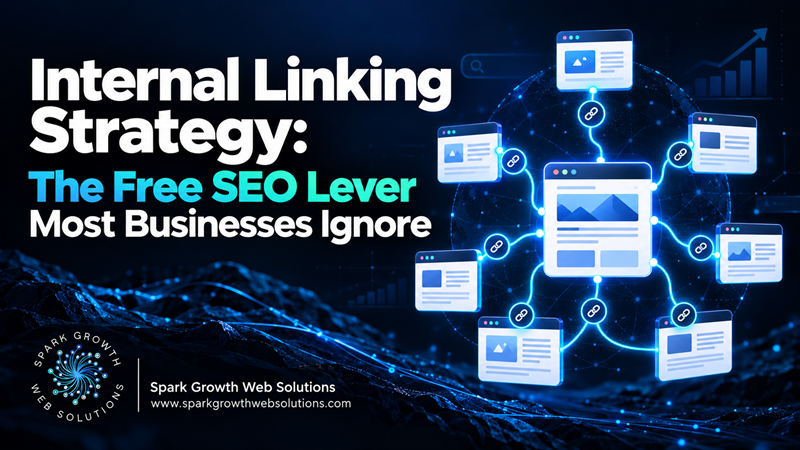
Internal links do two distinct things at once: they help search engines discover and understand the relationship between pages on your site, and they pass a portion of a page’s authority to the pages it links to. A page with many relevant internal links pointing to it — from genuinely related content, not just the main menu — tends to be treated as more important than an identical page with no internal links pointing to it at all.
It also directly supports how AI-generated search features work: a single query can trigger several related background searches, and a site with well-connected, internally linked content covering a topic’s full scope is better positioned to satisfy that than a page sitting in isolation.
Common Internal Linking Mistakes
Relying Only on Navigation Menus
Menu links matter, but they treat every page equally regardless of actual topical relevance. Contextual links within body content — pointing specifically to related pages at the moment they’re relevant — carry more useful signal.
Generic Anchor Text
“Click here” or “read more” tells search engines nothing about what the linked page is about. Descriptive anchor text that reflects the linked page’s actual topic helps both readers and search engines.
Orphan Pages With No Internal Links Pointing to Them
A page with zero internal links pointing to it is harder for search engines to discover and signals low importance, even if the content itself is strong. This happens more often than businesses realize, especially on older sites with content added over years.
Over-Linking to the Same Few Pages
If every internal link points to your homepage or one or two “important” pages, you’re concentrating authority narrowly instead of distributing it across your genuinely valuable content.
A Practical Internal Linking Process
- Identify your most important pages — the ones you most want to rank, whether service pages or your strongest content.
- Find your genuinely related content — other pages that touch on the same or adjacent topics.
- Add contextual links between them, using descriptive anchor text, at points in the content where the connection is genuinely relevant to the reader — not forced in.
- Check for orphan pages — a site crawl tool can identify pages with no internal links pointing to them, so you can connect them or reconsider whether they need to exist.
- Revisit this whenever you publish something new — new content should almost always link to and from relevant existing pages, not sit in isolation.
How This Connects to Content Strategy
Internal linking works best as a natural byproduct of genuinely comprehensive, well-organized content — which is part of why building real topical depth and strong internal linking tend to develop together rather than as separate projects.
If your site has years of accumulated content with little deliberate linking between related pieces, that’s usually a fast, low-cost fix worth prioritizing before more expensive SEO investments. SparkGrowth Web Solutions can map your existing content and identify the highest-value internal linking opportunities you’re currently missing.
Frequently Asked Questions
How many internal links should a page have?
There’s no fixed number — the goal is genuine relevance, not a quota. A handful of well-placed, relevant links outperforms a dozen forced ones.
Can internal linking alone improve rankings without new content?
It can meaningfully help existing pages that were previously under-linked, though it works alongside content quality rather than replacing the need for it.
Should I use the exact same anchor text every time I link to a page?
Varying anchor text naturally, while keeping it descriptive and relevant, tends to look more natural than using identical phrasing every single time.