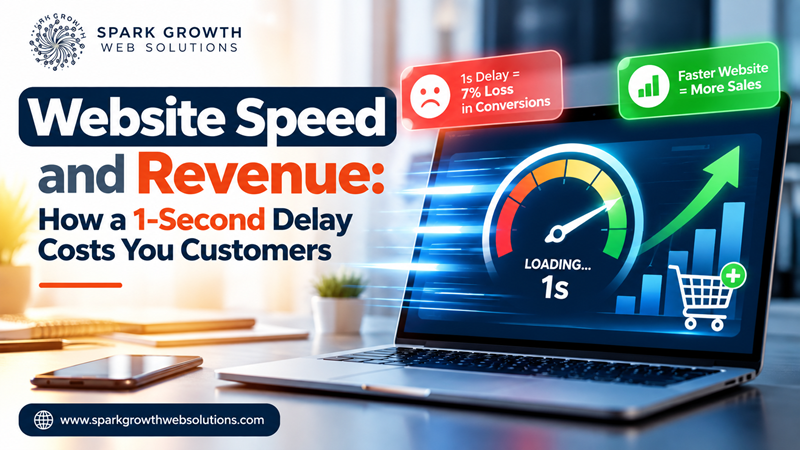
It’s easy to treat page speed as a developer’s concern — something for the technical team to optimize eventually, once the “real” priorities are handled. The data tells a different story. Speed isn’t a background technical detail; it’s one of the more direct, measurable levers connecting your website to actual revenue. At SparkGrowth Web Solutions, speed is one of the first things we check in any website or SEO audit, precisely because the business case is so clear.
What the Data Actually Shows
The numbers here are remarkably consistent across independent studies, which is part of why they’re worth taking seriously rather than dismissing as marketing hype:
- A one-second delay in page load time has been linked to roughly a 7% drop in conversions, according to research popularized by Akamai and Google.
- 53% of mobile visitors abandon a site that takes longer than three seconds to load, per Google’s own mobile speed research.
- Amazon has reported that every additional 100 milliseconds of latency costs roughly 1% in sales — at their scale, that’s billions of dollars a year, but the underlying ratio applies at any size.
- Walmart found that for every one-second improvement in load time, conversions increased by about 2%.
- Analysis from Portent, examining over 100 million pageviews, found ecommerce pages loading in one second convert at roughly 3x the rate of pages loading in five seconds.
None of these numbers are outliers or cherry-picked. They point to the same underlying pattern: speed and revenue move together, consistently, across very different types of businesses.
Why Speed Affects Revenue, Not Just “User Experience”
Slow load times don’t just annoy visitors in the abstract — they interrupt the exact moment someone is deciding whether to trust and engage with a business. A slow page reads, consciously or not, as a signal of a less capable, less trustworthy business, regardless of how good the underlying product or service actually is. The delay itself becomes part of the first impression.
There’s also a compounding effect: slow sites tend to rank lower (since page experience and Core Web Vitals factor into search rankings), which means fewer people find the site in the first place — on top of the visitors who do arrive and then leave before it finishes loading.
What Actually Causes Most Slow Websites
Unoptimized, Oversized Images
This is, by a wide margin, the most common cause we find. A single unoptimized hero image can add seconds to load time on its own, especially on mobile connections.
Too Many Third-Party Scripts
Chat widgets, tracking pixels, font loaders, and plugin bloat each add their own request and processing overhead. Individually small, collectively significant.
No Caching or Content Delivery Strategy
A server rebuilding the same page from scratch for every visitor, with no caching layer, wastes time that a properly configured cache would eliminate entirely.
Render-Blocking Code
Scripts and stylesheets that must fully load before the page can display anything create a blank-screen delay that feels far worse to a visitor than the raw load time suggests.
Where to Start
If you only fix one thing, fix images — compressing and correctly sizing them typically delivers the fastest, most visible improvement for the least technical effort. From there, a proper technical audit (checking render-blocking resources, unnecessary scripts, and caching configuration) usually uncovers the next highest-impact fixes specific to your site.
This is core to what our website development work involves — building sites fast from the foundation up, rather than trying to optimize speed onto a site after the fact.
A Quick Way to Check Where You Stand
Google’s free PageSpeed Insights tool will show both lab data and real-world field data for any URL, including a breakdown against Core Web Vitals thresholds. It’s worth checking your own homepage and highest-traffic pages specifically — averages across a whole site can hide a genuinely slow page that’s quietly losing conversions.
If speed testing surfaces more issues than you want to tackle alone, SparkGrowth Web Solutions can run a full performance audit and prioritize fixes by actual revenue impact, not just technical severity.
Frequently Asked Questions
What’s considered a “good” page load time in 2026?
Under 2.5 seconds for Largest Contentful Paint (LCP) is Google’s threshold for a “good” score, though faster is generally better for conversions specifically.
Does site speed affect SEO rankings directly?
Yes — Core Web Vitals and page experience are confirmed ranking factors, measured predominantly using real-world mobile data.
Is a fast website expensive to build?
Not inherently — speed is more about disciplined technical choices (image optimization, minimal bloat, good caching) than expensive infrastructure, which is why a poorly built expensive site can still be slow.